Generate codes in batches
Paste text lines or CSV data to create multiple barcodes and QR codes in one workflow.
Barcode Generator is a lightweight Chrome extension that lets you quickly create QR codes and a variety of barcodes.
Get Started ✔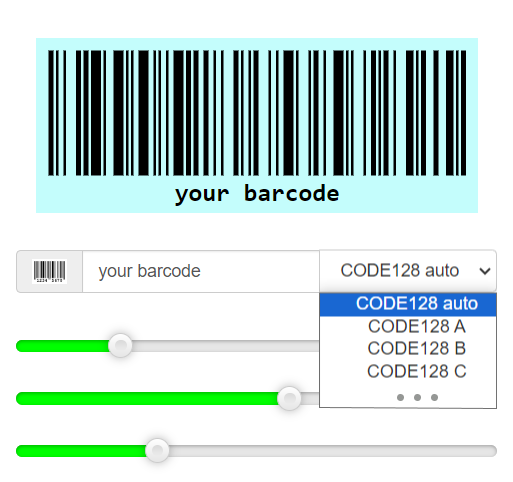
Creating a barcode
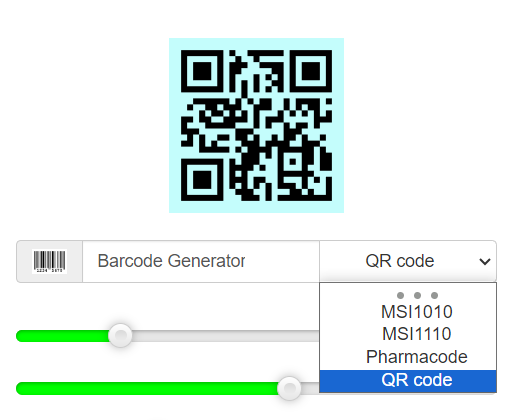
Creating a QR code
Get more done with Pro: generate codes in batches and find past codes faster.
Paste text lines or CSV data to create multiple barcodes and QR codes in one workflow.
Download valid SVG files together in a ZIP archive, or save your batch list as CSV to reuse later.
Access your full saved history and search past codes to quickly find and reuse the one you need.
Your Pro purchase also supports ongoing development, new features, and improvements to Barcode Generator.
Choose the Pro plan that works best for you.
Loading prices…
Prices are shown in your local currency when available. Visit the product page to install Barcode Generator.
Method 1 — Manual entry
Method 2 — Generate from selected text
Method 3 — Create a QR code with the current page URL
Does this extension work offline? Yes, Barcode Generator works entirely offline once installed.
What types of barcodes are supported? CODE128 (A, B, C), EAN13, EAN8, UPC, CODE39, ITF14, ITF, MSI (MSI10, MSI11, MSI1010, MSI1110), Pharmacode, and QR codes.
How do I know which type to choose? Our barcode generator provides examples to help you select the most appropriate type for your needs. Just try selecting different types of tags.
How can I insert the code into MS Word? Click the code image. It will copy to your clipboard and download as a file. Drag the SVG file into your Word document.
How can I print the code? Click the code image. It will copy to your clipboard and download as a file. Drag the SVG file into Word or another editor. Resize if needed, then print.
How can I download the generated code? Just click on it!
We're here to help. Send us your questions or feedback about Barcode Generator.